 Cookie Policy
We use cookies to enhance your experience. By continuing to visit this site, you agree to our use of cookies.
 Blackbox AI Worker
 Whitebox AI WorkerOpenClaw AI WorkerManus AI WorkerClaude AI WorkerHermes AI WorkerCursor AI WorkerDeep Agent AI WorkerDeepSeek AI WorkerCustom AI Worker
NOTE: Support for DeepSeek Harness is coming soon.
Contact support@humatron.ai to join early access waitlist.
This two-stage approach allows you to concentrate most of the capabilities in a shared build ensuring functional consistency across workers - while at the same time allowing for individual customization to meet specific employer's needs.
NOTE:Avatar image must be a square of at least 96px size or larger. 512px size or larger if using Slack. 2 MB maximum file size.
Important considerations:
- This feature prevents multiple hires of the same build by a single employer, as it would create duplicate identities.
- If you choose to restrict social attribute modifications, you must provide default values for these properties in your build configuration.
& Hire 🚀 public (published on the marketplace) - there is no way to force a restart of the existing AI workers of this build.public build configuration will apply to new AI workers only.NOTE:
- Even if the build has no AI workers created off it yet - it will still incur some (minimal) credit consumption.
1{
2  "protected_tool": "buy_ticket",
3  "when": "Before every ticket purchase",
4  "application_policy": "Copy actions exactly. Do not call 'buy_ticket' until Humatron delivers a final HITL approval."
5  "audience": {
6    "any": true,
7    "approvers": [{ "email": "finance@company.com" }]
8  },
9  "body_template": "Approve ticket: {{from}} → {{to}}, {{date}}, {{price}}.",
10  "actions": [
11    { "key": "approve_economy", "label": "Approve economy", "style": "success" },
12    { "key": "approve_business", "label": "Approve business", "style": "warning" },
13    { "key": "reject", "label": "Reject", "style": "danger" }
14  ]
15}approve_economy, approve_business, and reject keys are part of your HITL protocol. Use the same keys in the build role instructions for the DeepSeek agent logic. Note that when and application_policy fields in this example must clearly specify when HITL approval is required. You can also add similar instructions elsewhere in build role instructions.create_human_in_the_loop_request when necessary. For this tool invocation, it creates runtime JSON by copying the fixed audience and actions values and inserting the current values into body:1{
2 "body": "Approve ticket: Moscow → Paris, 2026-10-10, $500.",
3 "audience": {
4 "any": true,
5 "approvers": [{ "email": "finance@company.com" }]
6 },
7 "expires_at": "2026-10-10T10:00:00Z",
8 "actions": [
9 { "key": "approve_economy", "label": "Approve economy", "style": "success" },
10 { "key": "approve_business", "label": "Approve business", "style": "warning" },
11 { "key": "reject", "label": "Reject", "style": "danger" }
12 ]
13}get_human_in_the_loop_request_status tool to check the request status. The instructions for this protocol should be added to the build role instructions.1{
2 "request_id": "<same request_id>",
3 "status": "pending",
4 "approvers": []
5}audience.any is false, the response from this tool will follow this shape:1{
2 "request_id": "<same request_id>",
3 "status": "done",
4 "approvers": [
5 {
6 "email": "<approver email>",
7 "selected_action_key": "<one of this request's action keys>",
8 "decided_at": "<timestamp>"
9 }
10 ]
11}record_audit_event. When this tool is called, it records the audit event that can be later reviewed at audit page.1{
2 "mcp_tool_to_call": "record_audit_event",
3 "when_to_record_audit_event": [
4 {
5 "when": "Before every ticket purchase",
6 "type": "buy_ticket",
7 "severity": "high"
8 },
9 {
10 "when": "Before sending important customer emails",
11 "type": "send_email",
12 "severity": "medium"
13 }
14 ]
15}Livelive status. This is the normal status for the build when all permitted operations on the build are available.Pausedlive status.Suspendedlive status. If your build is suspended - contact Humatron support team at support@humatron.ai for more details.Removedbuilder publishing mode. This is the mode where only the builder (the user that created the build) can hire the build. Build can be published between different modes where each mode has different visibility and cost profile:| Publish Mode | Who Can Hire | Use Case | Margins | Commission |
|---|---|---|---|---|
Builder | Builder only | Development, testing, prototyping | Low | None |
Private | Builder's company | Internal AI workers for company use | High | None |
Limited | Selected companies | Built-to-order AI workers for pre-selected companies | High | None |
Public | Anyone | Marketplace - builder sets the price per hire | Medium | 20% per hire (80% paid to builder) |
builder publishing mode, margins are minimized to reduce iteration cost during development. In private mode (company use), margins are higher to reflect production-grade reliability and support, while remaining commission-free. In public mode (marketplace), medium margins apply - covering production-grade reliability and scalability, yet accounting for the 20% per-hire Humatron commission.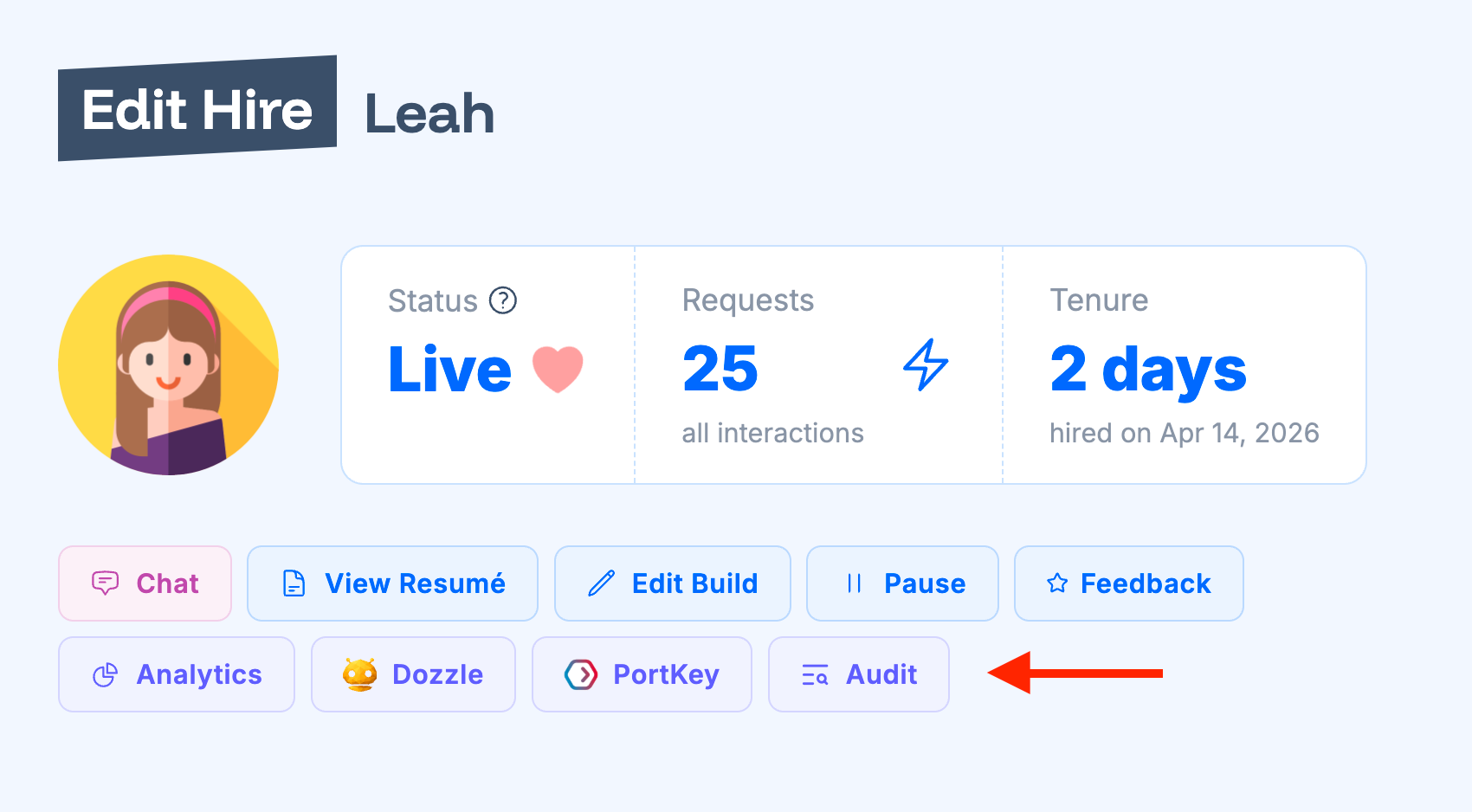
'Edit' button next to the AI worker instance (hire) and on 'Edit Hire' form you will see 'Audit' button.'Dozzle' button that opens built-in Dozzle monitoring dashboard. You can find Dozzle & SSH passwords and usernames in the same 'Edit Hire' form. PortKey
'Organization' page. Once configured, you can see 'PortKey' button on hire and built edit forms that will navigate to the PortKey dashboard.